
Desktop Video Conferencing
Video Conferencing on a Web Portal Running on Your PC
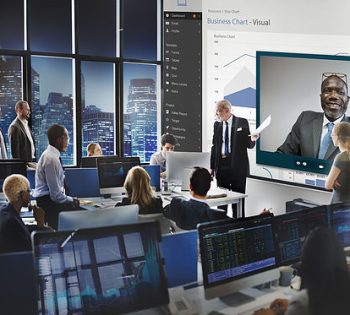
- Avoid costs of expensive video conferencing equipment
- Web based application - no software download required
- Suitable for e.g. Executives, Medical Professionals, Small Business Owners, etc.
Minimize Travel
Conduct meetings at your computer instead of a video conference room. Bundle web, audio & video conferencing.
Accessibility
Application can be accessed through strict firewalls in secure networks
Learn More
Imagine Desktop video conferencing, coupled with desk top sharing and great quality audio conferencing, all integrated on a web portal running on your PC. No need to leave your office and go to the corporate video conference room for attending a video conference. Most PCs and Laptops today already have a decent web camera built on to them. External low cost portable web cams are also widely available. Broadband connectivity is ubiquitous. XOP Networks Desktop Video Conferencing Application leverages all that to provide a cost effective solution for virtual meetings. This further helps businesses reduce their travel costs and operate more efficiently.
- Support up to 10 talking heads in one virtual conference
- All talking heads shown in a re-sizable video dock
- Avoid cost of expensive hardware and bandwidth for supporting video conferences
- Web based application – no software download required
- Concurrent Desktop Sharing, Application sharing and Instant Messaging
- Operates on a secure private data network ensuring that your content cannot be compromised
| Feature | How it works | Benefits |
| Schedule Video Conference Meetings | Host defines meeting to include video conferencing. Participants click on link to join the video conference. | Simple to use. Little or no training required. |
| Adhoc “Meet Me” Video Conference | Host can invite additional participants when the meeting is in progress. Invitees click on a link to instantly join the video conference. | Easily and instantly add more video participants. |
| Integration with external Audio Bridge | Host can decide to use XOP Audio Conference Bridge or a third party bridge. | Provides flexibility in choice of Audio Conference Bridge. |
| Select Your Video Device | Each participant can use the defaults or select a camera and audio device for the conference. | Supports wide variety of cameras and audio sources. |
| Dynamic Screen Management | Application automatically adjusts video sizes and window locations to best use the available screen space. | Participants see the largest video sizes for the available screen space, maximizing the user experience. |
| Great Video Quality | No user adjustments or settings required. | Clear viewing at the lowest bit-rate possible. |
| Up To 10 Participants | Full 2-way video between all 10 participants. | Large and small meetings are easy to arrange, eliminating travel. |
| Integrated Desktop Viewing | Any participant can share a desktop application view with all other participants. | Show any document or co-browse the Web with fellow participants. Simple to use and ideal for interactive meetings. |
| Public Chat Room | Host can respond to questions from participants. | Makes Web conferencing more productive and interactive. |
| Multiple Presenters | Host can allow another participant to take control and share his/her desktop. | Enables panel presentations. |
| Host Control | Host can remove any participant from the conference. | Enables Host to add or delete participates as needed, in real time. |
| Record A Video Conference (Future) | Host can record the conference and send a URL via email for viewing. | Conference can be replayed on any PC or Mac. |
| Combine Video, Audio, & Web Conferencing | The Host arranges for all services to be used for a meeting. | Can be used for in-house Webinars. Ideal for product training, seminars, legal reviews, etc. |